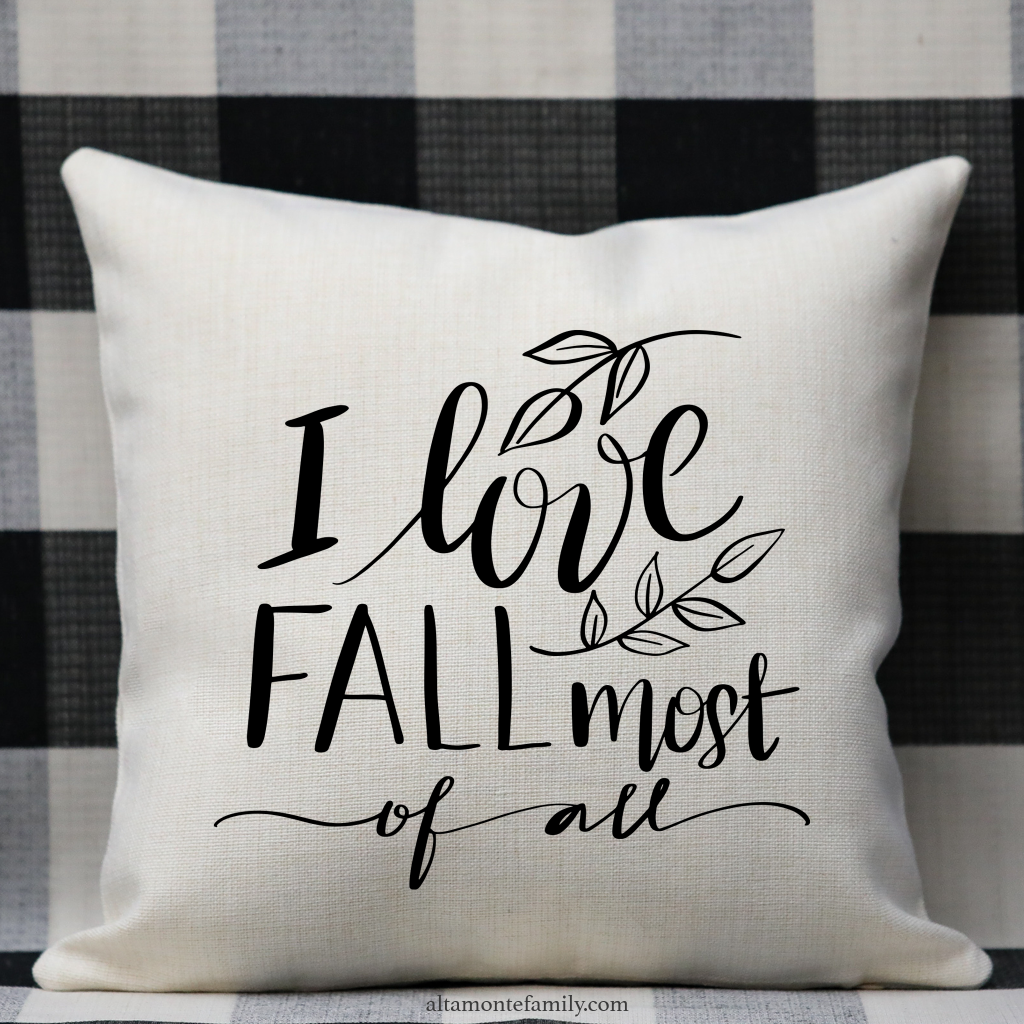
Personalize or decorate your home decor, gifts, handmade crafts, and more, with our “I Love Fall Most Of All” lettering design! It’s a free SVG and PNG for Cricut Explore / Cricut Maker / Brother Scan N Cut / or any other electronic cutting machine that reads and/or converts SVG or PNG files. This free file does NOT contain any text / font. Please feel free to use any font / lettering of your choice. Scroll to the bottom of this post to find the download button (there’s a button for the SVG file as well as another for the PNG file), and start creating!
Note: Be sure to follow instructions and guidelines depending on the type of material you will be using.
For Personal Use Only: We created this free digital cut file for your personal, non-commercial use only. Please do not alter in any way. Kindly read our full Terms of Use.
Free SVG for Cricut Explore / Cricut Maker / Silhouette Cameo / Brother Scan N Cut / Etc.
Here’s a project idea using a decorative pillow. If you’re using your Cricut machine, you can choose between vinyl or their infusible inks, depending on your substrate. If you have a dye sublimation printer, heat press, and the right accessories and substrates, you might be able to use this file, depending on the software that you use for printing. I use Adobe Photoshop for printing sublimation projects.
Cricut Supply List and Options
- Cricut Machine or any electronic cutting machine that can read or convert layered SVG files (we typically use a Cricut Explore Air or Cricut Maker)
- Cricut Infusible Ink Transfer Sheets or your choice Cricut Vinyl depending on your project: Iron-On HTV | Regular Vinyl | Smart Vinyl (if cutting without a mat)
- Cricut Tool Set
- Cricut StandardGrip Machine Mat
- Cricut Heat Press (make sure the temp reaches 400°F or 205°C) or Cricut Mug Press (if you’re decorating a mug)
- Cricut Round Coasters or Cricut Square Coasters (if you’re decorating coasters)
- Cricut Customizable Blanks (if doing sublimation — from mugs, shirts, totes bags, ball caps, and more)
- Cricut Heat Resistant Tape (if doing sublimation)
We hope you’ll have fun using this free Cricut Explore design file! Click on the button below to get the file; let us know in the comments about what you’ve created!
Click to download the SVG file
Click to download the PNG file

